
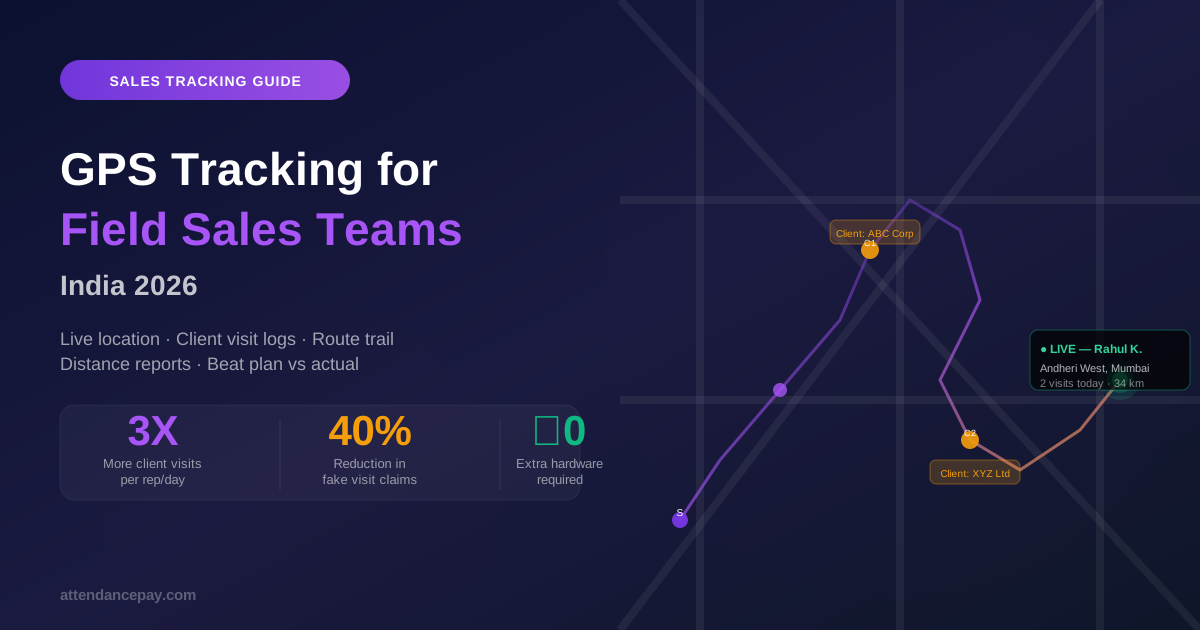
The Problem with Managing Field Sales Teams in India
Managing field sales in India is uniquely challenging. Your team is spread across cities, visiting clients all day — and your only window into what's happening is a WhatsApp message that says "at client site, will update later."
Sales managers report three recurring problems:
- You don't know if visits actually happened — Reps report visits; there's no independent confirmation
- Beat plans are ignored — Reps visit convenient clients and skip hard-to-reach ones
- Attendance is a guessing game — Start time, end time, and location have to be taken on trust
Real-time GPS tracking solves all three — without installing any hardware, without giving employees the feeling of being under surveillance, and without requiring constant WhatsApp check-ins.
How GPS Tracking for Field Sales Works
The sales rep downloads the AttendancePay mobile app. When they start their day, they punch in — the app records their GPS location and time. Throughout the day:
- Their live location appears on the manager's dashboard map
- Every client visit (when they arrive at a client location) is logged automatically or manually
- Their movement trail for the day is recorded — showing which areas they covered
- Distance travelled is calculated (for reimbursement)
- When they punch out, the day's summary is complete: start time, end time, locations visited, distance
Live Dashboard: What the Sales Manager Sees
The sales manager dashboard shows a real-time map of the entire team:
- Green dot — Rep is checked in and moving (active)
- Yellow dot — Rep is stationary at a location (at client site or break)
- Red dot — Rep is checked out or hasn't checked in yet
Click any rep's dot to see: their name, current location (reverse-geocoded address), last activity time, number of visits today, and total distance covered.
No more "where are you?" calls. The answer is on screen.
Client Visit Logging: The Core of Sales Tracking
The most valuable feature for sales managers is not just location — it's client visit verification.
When a rep arrives at a client location, they log the visit in the app:
- Client name (from their CRM contact list or typed manually)
- Visit purpose (demo, follow-up, renewal, collection)
- GPS coordinates at time of logging (proves they were there)
- Optional: photo, notes, or outcome (interested, rejected, follow-up needed)
At end of day, the manager sees a complete visit log with locations, timestamps, and outcomes — exportable as a PDF or Excel report.
This eliminates fake visit reporting. A rep can't log a visit at XYZ Ltd if their GPS shows they were 8km away at the time.
Beat Plan vs Actual: The Most Powerful Sales Insight
Beat planning is common in FMCG, pharma, and retail distribution companies — assigning specific routes and client lists to each sales rep for each day. The challenge is always: did they follow the plan?
With GPS tracking, you can now see:
- Planned beat: 12 clients assigned for the day
- Actual beat: 9 visited, 3 skipped — with timestamps and GPS proof for each visit
- Missed clients: Automatically flagged for follow-up tomorrow
This data converts your daily debrief meeting from a guessing exercise into a fact-based coaching conversation.
Distance and Travel Reimbursement: Automate the Painful Part
Field sales teams in India typically claim travel reimbursement — ₹X per km for two-wheeler or four-wheeler. This process is usually: rep fills a paper/Excel form → manager approves based on trust → finance processes payment.
With GPS tracking:
- Total distance travelled each day is calculated automatically from the GPS trail
- Reimbursement amount is computed at the configured rate (₹/km)
- Rep submits the pre-filled reimbursement claim — manager reviews the map and approves or adjusts
- Finance sees the GPS-verified amount — no more inflated claims
Companies report 15–25% reduction in travel expense claims after implementing GPS-verified reimbursement.
Setting Up GPS Tracking for Your Sales Team: Step by Step
Step 1: Configure Employee Profiles
For each field sales rep, enable "Field Employee" mode in their AttendancePay profile. This activates GPS punch-in (instead of geofenced punch-in) and enables the visit logging feature.
Step 2: Set Up Client Location Database
Import your client list (name, address, GPS pin) into the system. Reps select from this list when logging visits — this ensures consistent naming and pre-verified coordinates.
Step 3: Configure Beat Plans (Optional)
If you use beat-based routing, create beat plans and assign them to reps by day. The app shows each rep their assigned clients for the day as a checklist.
Step 4: Set Reporting Preferences
Configure what appears in daily reports: minimum visit count, expected start time, expected end time. Managers get automated alerts if a rep hasn't checked in by 10 AM, or hasn't logged any visits by noon.
Step 5: Brief Your Sales Team
Positioning matters. Don't introduce GPS tracking as surveillance — introduce it as protection. Frame it as: "Your visits are now logged automatically — you don't have to fill out daily call reports anymore. The app does it for you." Reps who were honest get less paperwork. The tracking catches only the dishonest ones.
Common Objections from Sales Teams (and How to Handle Them)
"Is the company watching me all day?"
The app records location at punch-in, at punch-out, and when the rep manually logs a visit. Between visits, no background tracking runs unless "live trail" mode is enabled (which you configure separately, and which reps can see is enabled). Most companies use visit-log-only mode — not continuous tracking.
"My phone battery will drain"
GPS polling at check-in and visit events uses minimal battery (less than 2% additional drain vs. always-on GPS tracking). The app is designed to be battery-efficient for field use.
"What if I visit a client but forget to log it?"
The app sends a prompt when the rep's GPS shows they've been stationary at a location for 10+ minutes — "Did you visit a client here?" They can confirm with one tap. Visits can also be added retroactively with manager approval.
ROI of GPS Sales Tracking: What Indian Companies Report
- Client visits per rep per day increased 25–40% — when reps know visits are tracked, they spend less time idle and more time at client sites
- Travel expense claims drop 15–25% — GPS-verified distance replaces self-reported kilometres
- Daily reporting time drops to zero — no more end-of-day call reports; the app generates them automatically
- Manager call time decreases 60% — "Where are you?" calls become unnecessary
Conclusion
For Indian field sales teams, GPS tracking is the difference between managing by trust and managing by data. It's not about distrust — it's about giving managers the visibility they need to coach effectively and giving reps the tools to prove their work automatically.
AttendancePay includes GPS tracking, visit logging, beat plan management, and distance-based reimbursement in a single mobile app — no separate sales tracking tool needed.
Track your first team in under an hour. Start free →
